

When Valentina Wainstein joined the localization team at MyHeritage nearly a decade ago, the site focused on helping people find their ancestors. Today, it’s a global AI and DNA powerhouse. It’s the kind of company that doesn’t just show you a family tree, but helps you unlock your own biology.
The company’s growth has been massive following its success in the AI and genetic health space, MyHeritage is now valued at approximately $1 billion. For Valentina, the goal has always been simple: make sure these life-changing discoveries aren’t blocked by a language barrier.
“Our products can truly change lives,” she says, “and no one should miss that opportunity just because they don’t speak English”.
Scale by the Numbers
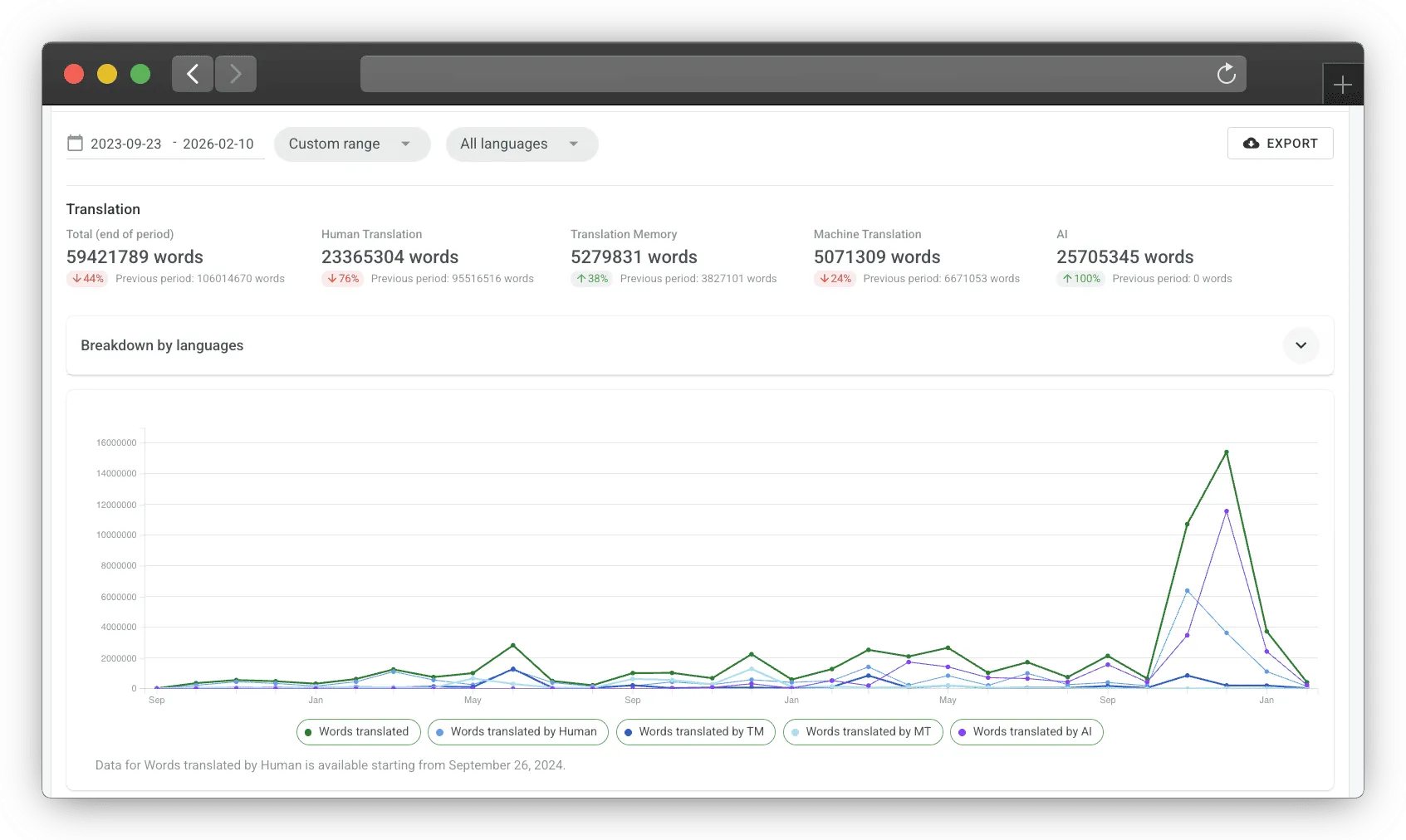
Managing a platform of this size requires moving a mountain of content. To keep the site and DNA features accessible, the team handles millions of words across their global ecosystem.
| SUMMARY | |
|---|---|
| Total Managed Volume | Nearly 60 million words processed since 2023 |
| AI Translation | 25+ million words handled via Google Gemini, OpenAI, etc. |
| Human Contribution | 23+ million words of nuanced translation from the community |
| Efficiency (Reuse) | 5 million words reused via Translation Memory |
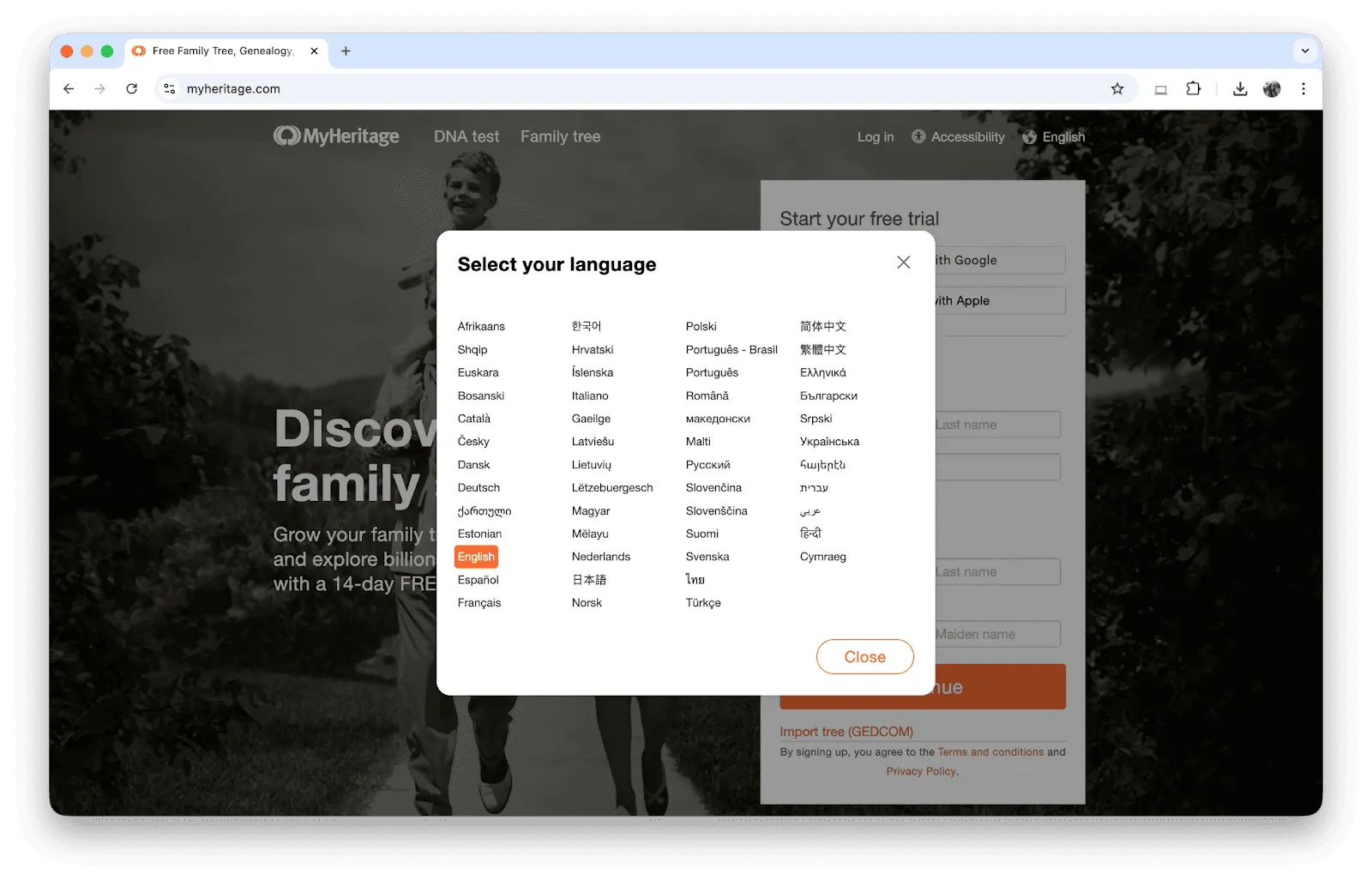
| Global Reach | 50 languages supported |
Centralizing the Localization Workflow
Back in the day, the team used an internal tool that eventually just couldn’t keep up as they grew. In 2018, they moved everything over to Crowdin. In 2021, MyHeritage switched to Crowdin Enterprise.
Crowdin became their all-in-one hub for translations, AI, glossaries, and community management.
"Crowdin brings everything together in one place. It helps us deliver high-quality translations with proper context, maintain consistency, use advanced technology, and efficiently manage tasks across many languages.
Tech Stack: AI + Community
Back in 2018, MyHeritage moved to Crowdin to centralize their workflow. Today, it’s where they balance high-tech automation with a passionate volunteer community.
A Smart Mix of Tools
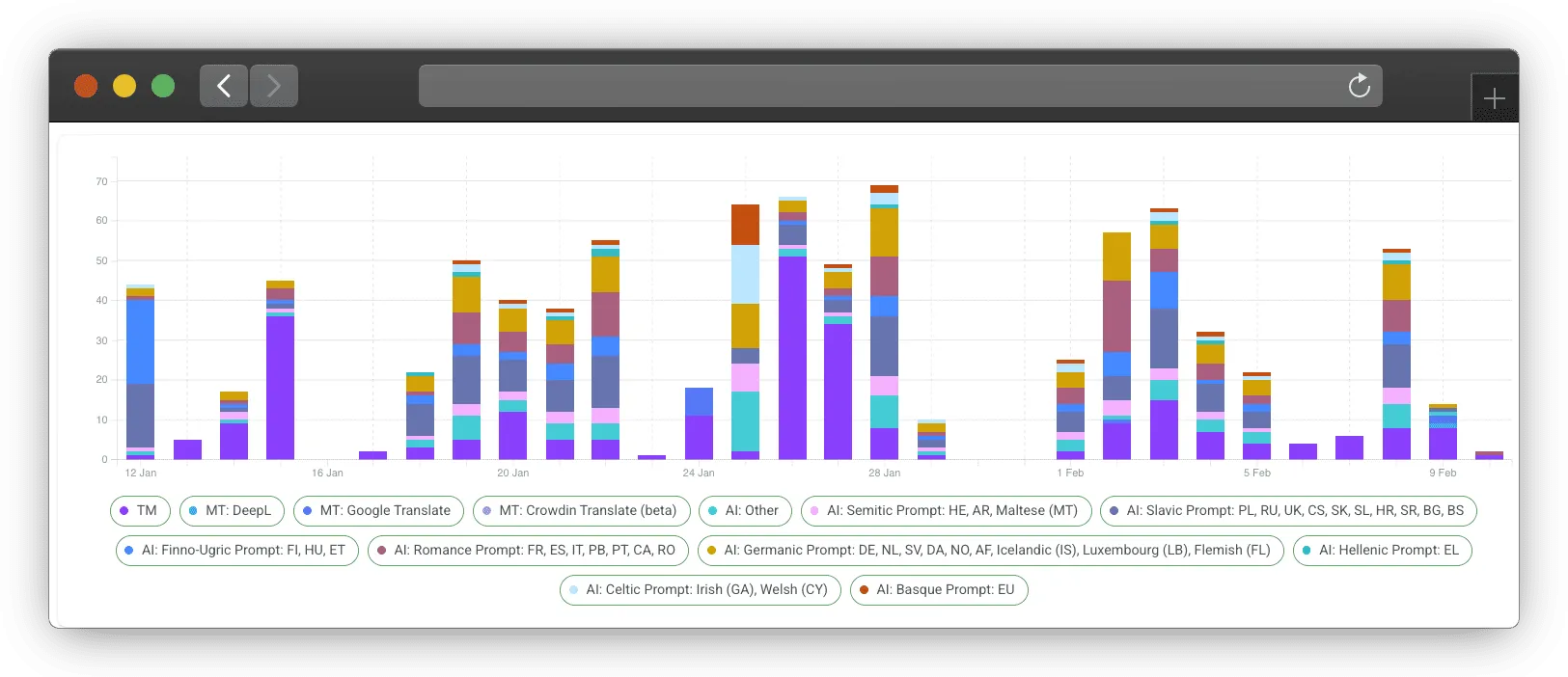
The MyHeritage team does not rely on just one engine. They use a sophisticated blend of:
- Leading MT Engines: DeepL and Google Translate for reliable machine translation.
- Next-Gen AI: Models like Gemini 2.5 flash and GPT-4o mini handle more complex tasks.
- Tailored Prompts: To get the best results, they use language-specific AI prompts grouped by family – such as Celtic (Irish, Welsh), Germanic (Icelandic, Luxembourgish), Semitic (Maltese), etc.
Secret Ingredient: Passionate Experts
MyHeritage’s team of volunteers (including journalists, professors, and professional translators) provides the nuance that machines cannot catch. Since many are power users of the site, they intuitively understand the tricky “genealogy-speak”.
MyHeritage Reached the 50-Language Mark
The team recently celebrated hitting the 50-language milestone. Adding the “New 9” (including Icelandic, Welsh, and Georgian) was a huge operational mountain to climb. It meant training AI tools and making sure every single email and app screen was translated – no leftover English allowed.
"We invested significant time in training our AI tools and refining the process. It was also important to translate everything – not leaving any content in English – which was a large effort given the amount of content across the site, emails, and apps. This work also required close collaboration with many technical teams across different departments. Careful planning and strong coordination were essential, especially since unexpected issues can always arise.
How Their Crowdin Workflow Looks
Valentina describes a sophisticated, multi-step process for every new piece of text:
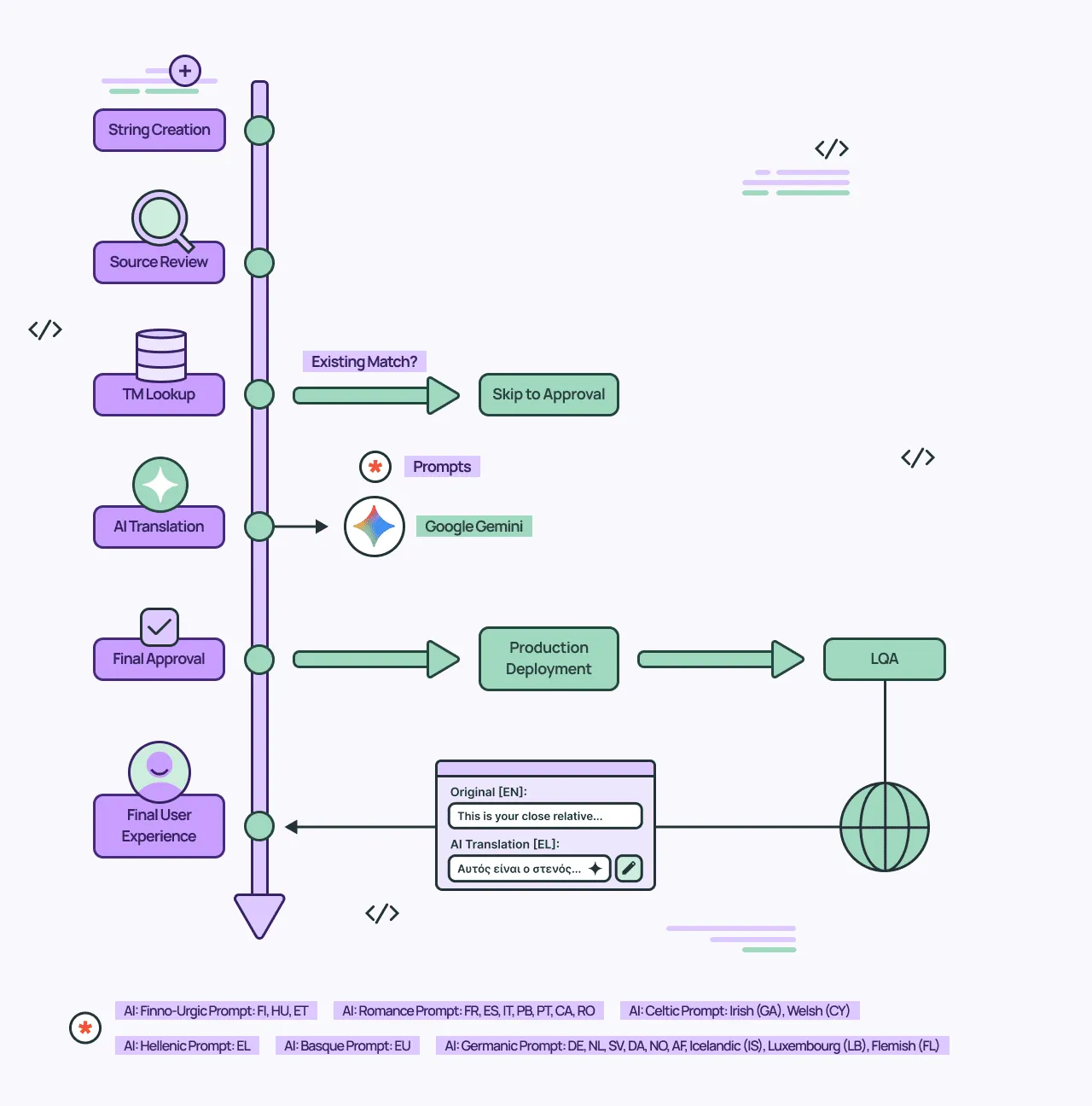
- Source Review: Before translation begins, the original text is reviewed for clarity to ensure it is suitable for a global audience.
- Memory Check: The system checks the Translation Memory (TM) for existing matches to ensure consistency.
- AI Integration: If no match is found, AI models generate a translation using language-specific instructions to capture cultural nuances.
- AI Proofreading: Automated steps check for consistency, formatting, and technical details.
- Quality Assurance: After deployment, a final Localization QA process ensures the highest standard for users.
Overcoming Linguistic Complexity
Genealogy is surprisingly complex. Take the term “second cousin” – it does not mean the same thing in every culture.
Valentina’s team conducted in-depth research to translate genealogy terminology accurately across all supported languages. This helps MyHeritage to stay consistent across all 50 languages.
Final Words
As MyHeritage grows, Valentina’s goal is simple: to add more languages, so more people worldwide can investigate their family history.
Localize your product with Crowdin

Yuliia Makarenko
Yuliia Makarenko is a marketing specialist with over a decade of experience, and she’s all about creating content that readers will love. She’s a pro at using her skills in SEO, research, and data analysis to write useful content. When she’s not diving into content creation, you can find her reading a good thriller, practicing some yoga, or simply enjoying playtime with her little one.